Automate Amazon Product-Detail Lookups From a List of ASINs
Turn a list of ASINs into a scheduled table of Amazon product records: price, rating, best-seller rank, and more, from one pay-per-call Monid endpoint.

Copy this line to your agent to turn a list of ASINs into a clean product-detail table.
set up https://monid.ai/SKILL.md and use apify/delicious_zebu/amazon-product-details-scraper to turn a list of ASINs into a product-detail table
Give one endpoint a list of ASINs and you get back a structured record per product: title, current price, list price, star rating, the full rating distribution, availability, best-seller rank, brand, and image URLs. That is the whole job here, from a text file of identifiers to a CSV you can rerun on a schedule, with Monid as the interface and Apify as the source. Monid is the OpenRouter for agent tools: one interface and one balance reach over a thousand tools across web scraping, enrichment, social data, and search, with no separate signup per vendor. This is a product-detail feed, which is a different capability from pulling review text, so if you came for reviews the endpoint you want is a different one.
TL;DR
- One endpoint,
apify /delicious_zebu/amazon-product-details-scraper, takes aParamsarray of ASINs or product URLs and returns one structured record per item. - Each record carries title, price, list price, star rating and rating distribution, availability, best-seller rank, brand, images, specs, and a scrape timestamp.
- It is billed per result, one result per ASIN, so a 200-product sweep costs a predictable fraction of a cent times 200. Live pricing is at monid.ai/tools.
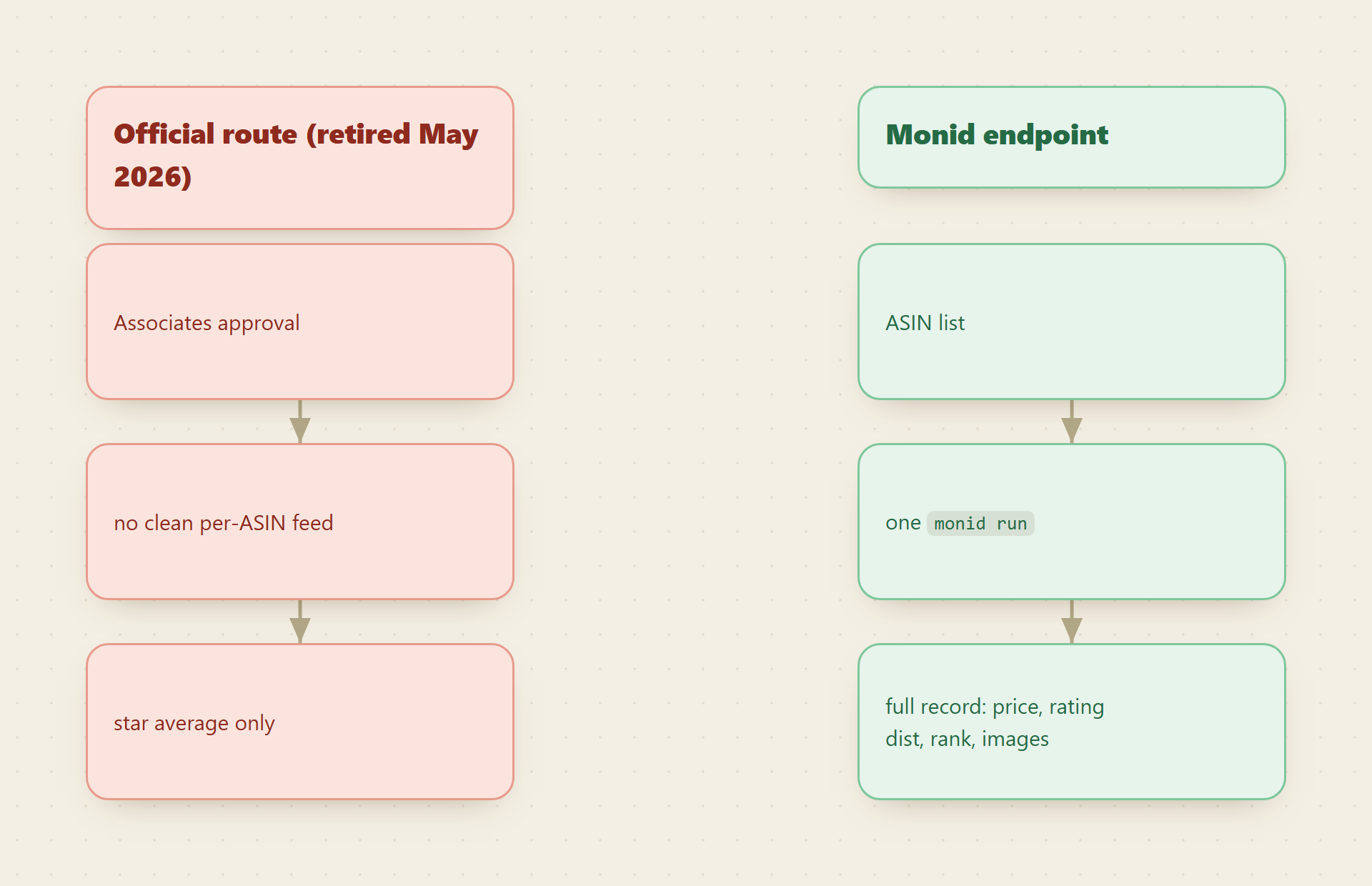
- Amazon's own Product Advertising API never gave a clean per-ASIN product feed without Associates approval, and that route retired in May 2026.
- Because Monid ships as an MCP server, an agent can run the lookup mid-task and drop the results straight into a spreadsheet or a cron job.
Set up Monid once
For agents
Grab an API key at app.monid.ai, then paste this to your agent and hand it the key:
set up https://monid.ai/SKILL.md
It learns the whole discover, inspect, run workflow itself. More details in the agent quickstart.
For humans
npm install -g @monid-ai/cli
monid keys add --label main --key <your-api-key>
More details in the CLI quickstart.
📖 See also Amazon's PA-API Retires in 2026
Step 1: inspect the endpoint (free)
Read the schema before you spend anything. Inspect shows the accepted input fields and the price per result, and it costs nothing.
monid inspect -p apify -e /delicious_zebu/amazon-product-details-scraper
The input body has a single required field, Params, an array where each entry is either a bare ASIN like B0BSHF7WHW or a full product URL like https://www.amazon.com/dp/B0BSHF7WHW. You can mix both formats in one array. There is no result-limit parameter and no pagination to manage, because the number of results equals the number of items you pass in: one record out per identifier in. The output record carries the fields you came for (title, price, list price, star rating, the rating distribution, availability, best-seller rank, brand, image gallery) plus long description, bullet features, product specs, and a scrape timestamp. The full endpoint reference lives on the Apify actor page.
Step 2: run one ASIN
Prove the shape with a single known ASIN first. The -i flag takes the JSON body and -w waits inline so the result comes straight back.
monid run -p apify -e /delicious_zebu/amazon-product-details-scraper \
  -i '{"Params":["B0BSHF7WHW"]}' -w -o one.json
If the run goes async you get a run ID instead. Poll and save it with:
monid runs get -r <RunID> -o one.json
Now one.json holds one full product record. Open it against the live listing and confirm the price, the rating, and the best-seller rank line up before you widen the input.

Step 3: pull the fields that matter with jq
The record is nested, so pull the flat fields you actually want into one row. Field names follow the schema from Step 1, so if a key is labeled differently in your run, the inspect output is your source of truth.
jq '{
  asin: .asin,
  title: .title,
  brand: .brand,
  price: .price.value,
  listPrice: .listPrice.value,
  rating: .stars,
  reviews: .reviewsCount,
  availability: .availability,
  bestSellerRank: .bestSellersRank[0].rank
}' one.json
Two fields carry the most weight for monitoring. The gap between price and listPrice is your discount signal, so tracking both over time is how you catch a promotion the moment it starts. The rating distribution matters more than the single star average, because a 4.3 built on a wall of 5s and a spike of 1s is a different product from a flat 4.3, and the distribution is what lets you tell them apart.
jq '.ratingDistribution' one.json
# -> {"5": 812, "4": 190, "3": 61, "2": 44, "1": 133}
Step 4: batch your whole ASIN list
One ASIN proves the shape. A list gives you the table. Put your identifiers in a file, one per line, and build the Params array with jq so quoting stays correct.
# asins.txt: one ASIN per line
BODY=$(jq -Rn '{Params: [inputs]}' asins.txt)

monid run -p apify -e /delicious_zebu/amazon-product-details-scraper \
  -i "$BODY" -w -o batch.json
One call, one bill, one JSON array covering every ASIN in the file. Because the endpoint returns exactly one result per input, you can predict the cost before you run it: it is the per-result price times the number of lines in asins.txt, with nothing hidden in retries or paging.
Step 5: write it all to CSV
Emit a header once, then flatten every record into a row. @csv handles the quoting so a comma inside a product title never breaks a column.
echo "asin,title,brand,price,list_price,rating,reviews,availability,rank" > products.csv

jq -r '.[] | [
  .asin, .title, .brand, .price.value, .listPrice.value,
  .stars, .reviewsCount, .availability, .bestSellersRank[0].rank
] | @csv' batch.json >> products.csv
Open products.csv in any spreadsheet and you have a per-product table you can sort by price, filter by availability, or diff against last week's pull.
Step 6: put it on a schedule
The point of a lookup you can rerun is that you stop running it by hand. Wrap Steps 4 and 5 in a script that timestamps its output, then let cron call it nightly.
#!/usr/bin/env bash
set -euo pipefail
STAMP=$(date +%F)
BODY=$(jq -Rn '{Params: [inputs]}' asins.txt)
monid run -p apify -e /delicious_zebu/amazon-product-details-scraper \
  -i "$BODY" -w -o "snap_$STAMP.json"
jq -r '.[] | [.asin,.title,.brand,.price.value,.listPrice.value,.stars,.reviewsCount,.availability,.bestSellersRank[0].rank] | @csv' \
  "snap_$STAMP.json" >> products.csv
# run at 6am daily
0 6 * * * /path/to/lookup.sh
Each night appends a dated snapshot, so products.csv becomes a price-and-rank history you can chart, not just a one-time dump. Keeping one file per day (snap_$STAMP.json) means a bad run never overwrites a good one.
📖 See also Connect Claude to Amazon Search Data
Why not the official API
Being precise about the gap explains why this endpoint exists. Amazon's Product Advertising API was built for affiliates, so reaching it at all required an approved Associates account, and even then its item response leaned on a star average and a review count rather than a clean, per-ASIN product feed with the rating distribution and best-seller rank broken out. That route retired in May 2026, which closed the door on it entirely for teams doing catalog enrichment or price monitoring. Scrape it yourself and you inherit proxy pools, a layout that shifts under you, and a parser that breaks on the next redesign. Routing the same job through a maintained endpoint on Monid means the provider absorbs that upkeep, and you get structured JSON keyed by ASIN.
Cost tally
Everything up to the run is free: discover and inspect cost nothing, so you can read the schema and shape your jq calls without touching your balance. Runs are billed per result, and one result equals one ASIN, so the math is flat and predictable. A 10-ASIN spot check is a fraction of a cent times 10. A 200-product nightly sweep is that same fraction times 200, every night, with no tier to unlock and no throttle to work around. Check current per-result pricing on monid.ai/tools before you scale the list up.
FAQ
Can I pass product URLs instead of ASINs?
Yes. The Params array accepts bare ASINs, full /dp/ product URLs, or a mix of both in the same call, one result returned per entry.
Is there a limit on how many products per run?
There is no result-limit parameter, because results equal inputs. You control volume by the length of the Params array, and you pay per result, so a bigger list is a bigger but fully predictable bill.
Is this the same as pulling Amazon reviews? No. This endpoint returns product-detail data (price, specs, rating, rank, images) and a rating distribution, not the full text of individual reviews. Review text is a separate capability on a different endpoint.
How much does a run cost? Inspect is free, and runs are billed per result at a fraction of a cent per ASIN, always shown before the run. Live per-result pricing is on monid.ai/tools.
Try it
Grab a key at app.monid.ai, inspect the endpoint for free, and run one ASIN you already know. If the price, rating, and rank match the live listing, drop your full list into asins.txt and put Step 6 on a cron. For agents, hand yours https://monid.ai/SKILL.md and it learns the discover, inspect, run loop itself. Humans can start from the CLI quickstart.