Automate LinkedIn Company Data Pulls Into a Table
Turn a LinkedIn company URL or slug into a structured firmographic record, batched over a list into a table, with one pay-per-call endpoint on Monid.

Copy this line to your agent to turn a list of LinkedIn company URLs into a table.
set up https://monid.ai/SKILL.md and use tikhub /api/v1/linkedin/web_v2/get_company_profile to turn a list of linkedin company urls into a structured table
Give one LinkedIn company URL or slug, get one structured company record back: name, industry, size, headquarters, follower count, description, and website. Point the same call at a list and it becomes a table you can filter in a spreadsheet, all from a single pay-per-call endpoint that costs a fraction of a cent per company. Monid is the OpenRouter for agent tools: one key and one balance reach over a thousand tools across scraping, enrichment, social data, and search, with the price shown before anything executes. This is the cookbook. Copy the steps, run one company, then run your whole list.
TL;DR
- One endpoint does the whole job. TikHub
/api/v1/linkedin/web_v2/get_company_profiletakes a company URL or slug as a query parameter and returns the firmographic record, no LinkedIn login and no per-company scraper to maintain. - Keep seven fields: name, industry, employee size, headquarters, follower count, description, and website. That is a firmographic row that sorts and filters like any other table.
- The URL and the slug are interchangeable.
https://www.linkedin.com/company/microsoft/andmicrosoftresolve to the same record, so a messy input list still works. - Batch by looping the same call over a list of slugs and appending one CSV row each. No batch endpoint to learn, just the same command in a
forloop. - The official LinkedIn API cannot do this. Its company data is partner-gated to organizations that authorize your app, so arbitrary lookups are off the table. This route sidesteps that entirely, billed per call at a fraction of a cent (live prices at monid.ai/tools).
Company data is a different job than people data
If you came here from the profile recipes, note the difference. A person lookup answers who someone is and how to reach them. A company lookup answers what an account is: the industry to segment it into, the headcount band that decides whether it fits your ICP, the headquarters that sets territory, and the follower count that hints at brand reach. Those are firmographic fields, and they drive account scoring, territory assignment, and list qualification, not outreach copy. This recipe stays on the company side.
Seven fields carry a usable company row. The name and website confirm you matched the right entity, the industry and employee size are the two you actually segment on, the headquarters sets territory and timezone, the description gives a one-line "what they do" for a rep to skim, and follower count is a cheap proxy for market presence. Everything else on a company page is context you can fetch later if the account advances.

Why not the official LinkedIn API
Worth being precise about the alternative. LinkedIn's developer platform does expose organization data, but only for companies that have added your app and granted an admin role, through the Organization Lookup API. That is the right design for a tool a company installs on its own page, and the wrong one for the job here: profiling companies you do not control across a prospect list. There is no supported path to pass an arbitrary slug and read back its firmographics. So the practical route is a maintained endpoint that returns the public profile, which is what TikHub provides and what Monid meters per call.
Set up once
For agents
Grab an API key at app.monid.ai, then paste this to your agent and hand it the key:
set up https://monid.ai/SKILL.md
It learns the whole discover, inspect, run workflow itself. More details in the agent quickstart.
For humans
npm install -g @monid-ai/cli
monid keys add --label main --key <your-api-key>
More details in the CLI quickstart.
Step 1. Inspect the endpoint (free)
Read the schema before you spend anything. inspect returns the exact input, the price, and the docs, and it never bills. The endpoint takes one query parameter, url, which accepts a full company URL or a bare slug.
monid inspect -p tikhub -e /api/v1/linkedin/web_v2/get_company_profile
# input:   url (company URL or slug, required)
#          e.g. "https://www.linkedin.com/company/microsoft/" or "microsoft"
# returns: company name, industry, staff/employee count, headquarters,
#          follower count, description, website, and more
# price:   PER_CALL, a fraction of a cent
Because url is a query parameter, not a request body, it goes to --query at run time, not -i. That is the one detail people get wrong on this endpoint. The provider's field reference is in the TikHub API docs.
Step 2. Pull one company
Start with a single known company so you can eyeball the output against the live page. -w waits for the result inline instead of making you poll, and -o writes the JSON to a file.
monid run -p tikhub -e /api/v1/linkedin/web_v2/get_company_profile \
  --query '{"url":"https://www.linkedin.com/company/microsoft/"}' \
  -w -o company.json
# -> one company profile record, price shown before it executes
The slug alone works identically, which matters when your input list is a mix of full URLs and bare handles:
monid run -p tikhub -e /api/v1/linkedin/web_v2/get_company_profile \
  --query '{"url":"stripe"}' -w -o company.json
Step 3. Keep the seven firmographic fields
The raw record is large. Pull the seven that make a row and drop the rest. Field names can vary slightly by company, so the jq below uses fallbacks (//) to stay resilient across records.
jq '{
  name:         (.name // .universalName // ""),
  industry:     (.industry // (.industries[0] // "")),
  size:         (.staffCount // .employeeCount // ""),
  headquarters: (.headquarters.city // .headquarter.city // ""),
  followers:    (.followerCount // ""),
  description:  (.description // .tagline // ""),
  website:      (.websiteUrl // .website // "")
}' company.json
| Field | What it is | What you do with it |
|---|---|---|
| name | canonical company name | confirm the match, join to your CRM |
| industry | LinkedIn industry label | the primary segmentation axis |
| size | employee/staff count | headcount band for ICP fit |
| headquarters | HQ city and region | territory and timezone assignment |
| followers | LinkedIn follower count | cheap proxy for brand presence |
| description | the "about" blurb | one-line context for a rep |
| website | company domain | dedupe and enrich further later |
Industry and size are the two you sort on most. Together they answer "is this account in scope" before a human ever looks at it.
Step 4. Batch a list into a table
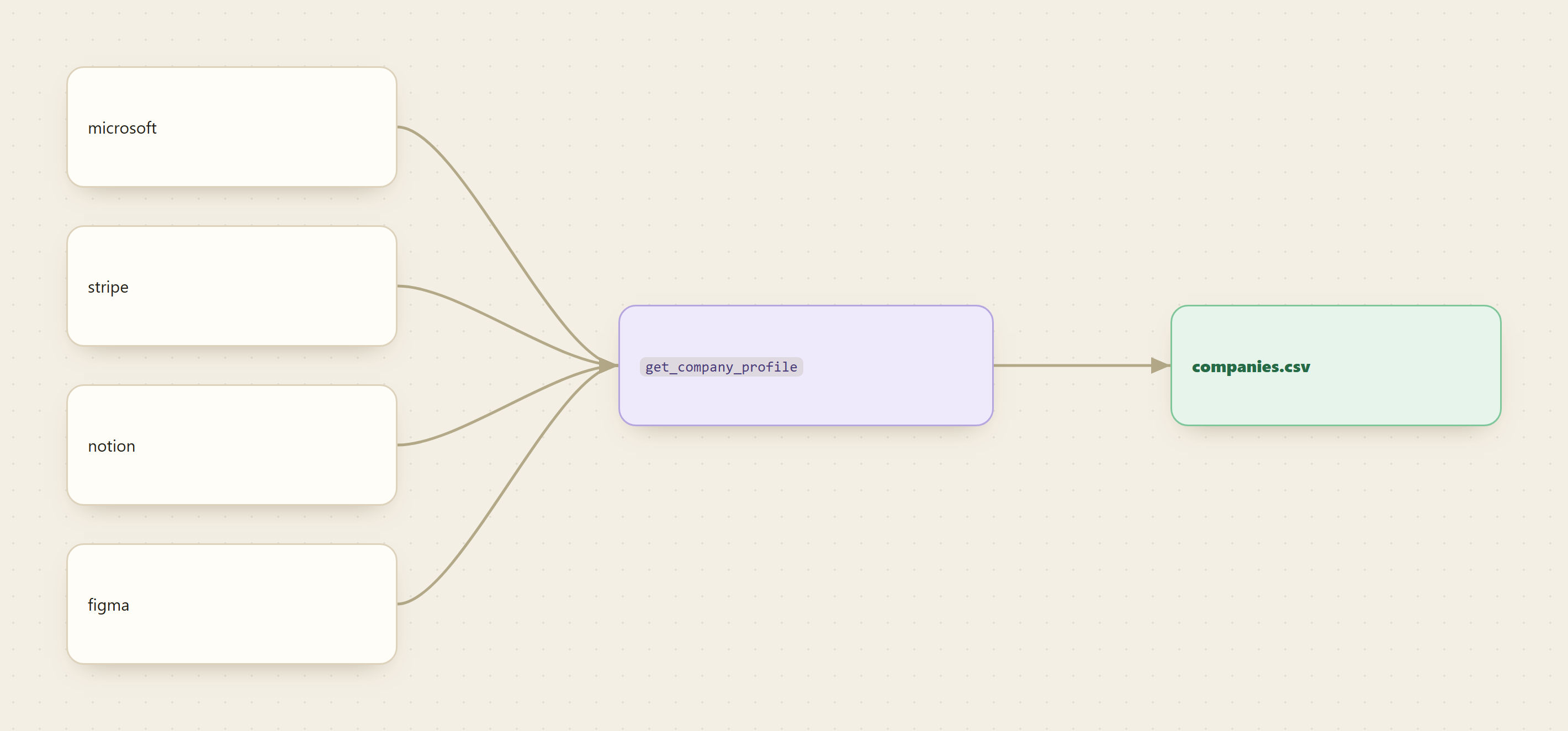
Nothing new to learn here. The same call in a loop turns a list of slugs into a CSV, one row per company. Keep a small delay between calls to be polite to the upstream.
echo "name,industry,size,headquarters,followers,website" > companies.csv

for slug in microsoft stripe notion figma anthropic; do
  monid run -p tikhub -e /api/v1/linkedin/web_v2/get_company_profile \
    --query "{\"url\":\"$slug\"}" -w -o "raw_$slug.json"

  jq -r '[ (.name // ""), (.industry // (.industries[0] // "")),
           (.staffCount // .employeeCount // ""),
           (.headquarters.city // .headquarter.city // ""),
           (.followerCount // ""), (.websiteUrl // .website // "") ]
         | @csv' "raw_$slug.json" >> companies.csv

  sleep 1
done
companies.csv opens straight into a spreadsheet or imports into a CRM, sorted by whatever column you segment on. Because Monid ships as an MCP server, the same loop runs inside an agent handed "profile these fifty companies into a table," which reads each slug, pulls the record, keeps the seven fields, and appends the rows on its own.
📖 See also Proxycurl Shut Down: Where LinkedIn Data Goes Now
What a company table costs
You see the exact price before every run, always on monid.ai/tools. In magnitude terms:
Inspect the schema          free
One company profile         one call, a fraction of a cent
------------------------------------------------------------------
50 companies:               still small change, a fraction of a cent each
1,000 companies:            low single-digit dollars, once, no subscription
The math is boring in the best way: one call per company, a fraction of a cent each, and nothing at all in the months you pull no lists. There is no seat, no minimum, and no per-vendor signup, since the TikHub endpoint is reached through the same key and wallet as every other provider on Monid.
FAQ
Do I need a TikHub account or a LinkedIn developer app? Neither. You integrate Monid once and fund one pay-as-you-go balance. TikHub is reached through the same key, and the official LinkedIn developer program is not in the loop at all.
Can I pass a bare slug, or do I need the full URL?
Both work. microsoft and https://www.linkedin.com/company/microsoft/ resolve to the same record, so a list that mixes URLs and slugs runs without cleanup.
Is this the official LinkedIn company data? It is the public company profile. The official Organization Lookup API only returns data for companies that have authorized your app with an admin role, so it cannot profile arbitrary companies from a list. This endpoint reads the public profile the way anyone browsing the page would see it.
What does a company table cost? A fraction of a cent per company, so fifty companies is small change and a thousand lands in low single-digit dollars, paid once with no subscription. Current per-endpoint prices are at monid.ai/tools.
Run it on one company
Pick a company you know well and run Step 2 on its slug. Check the seven fields against the live page, and if they match, drop your list into the Step 4 loop and let it build the table. Start at monid.ai.