The Facebook Ad Library, as a Clean JSON Feed
The Meta Ad Library web UI fights you. Monid turns it into a JSON feed you query by keyword or Page, billed per result at the price shown.
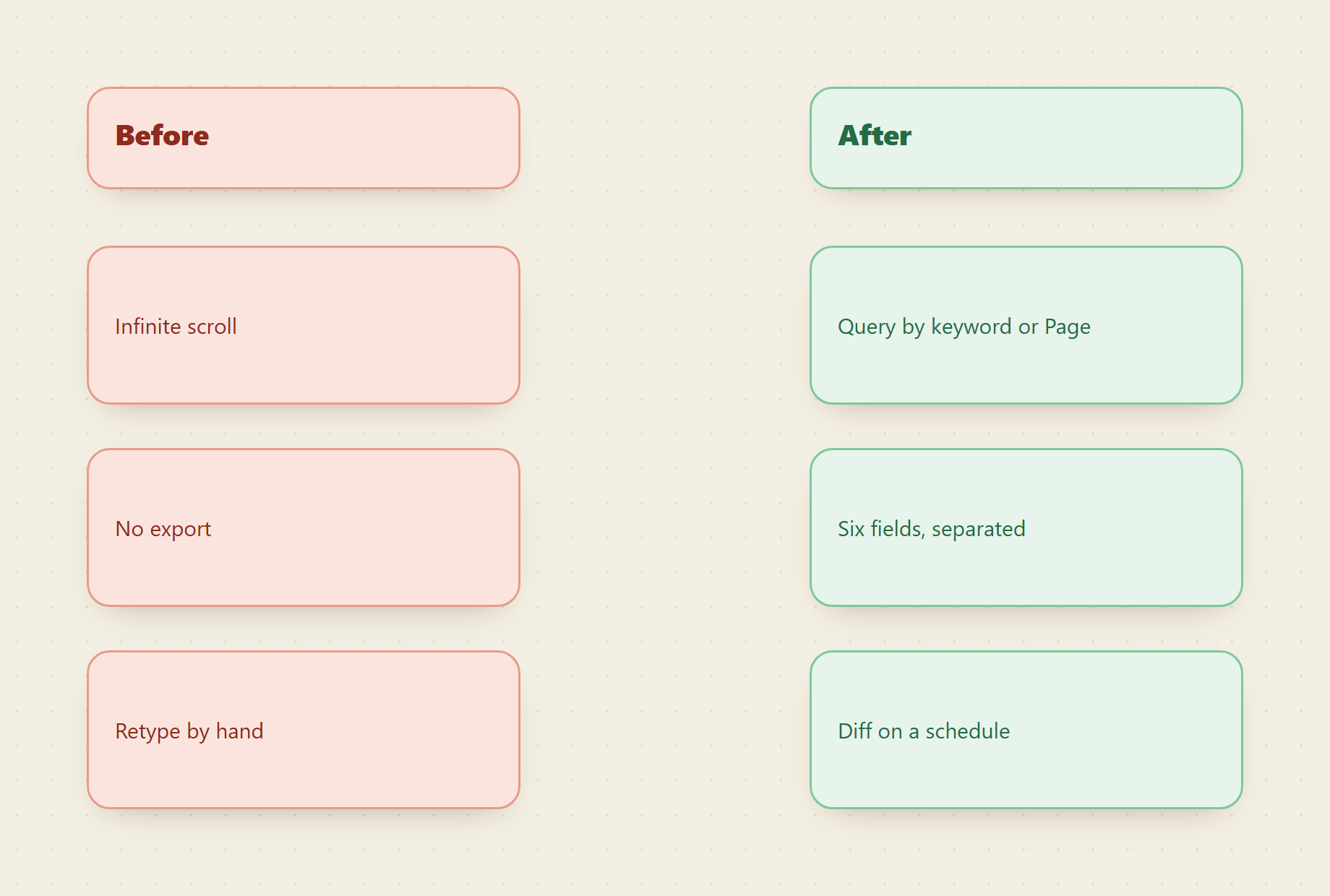
The Meta Ad Library holds the ad creative, copy, and run dates of nearly every advertiser on Facebook and Instagram, and the web UI it ships behind makes that data almost unusable at scale. We built the fix: point one endpoint at a keyword or a Page and get the same ads back as structured JSON, with the fields you actually plan around already separated out. No export button to hunt for, no infinite scroll to babysit, no copying ad copy into a spreadsheet by hand.
Copy this line to your agent to turn the Ad Library into a queryable feed.
set up https://monid.ai/SKILL.md and use apify/curious_coder/facebook-ads-library-scraper to pull a keyword or Page from the Facebook Ad Library as JSON
TL;DR
- The Ad Library is a public transparency archive, but its interface is built for one ad at a time, not for pulling a dataset. There is no clean public JSON API for bulk reads.
- On Monid you hand the Apify Facebook Ad Library scraper the exact Ad Library URL you would open in a browser, and it returns the ads as rows.
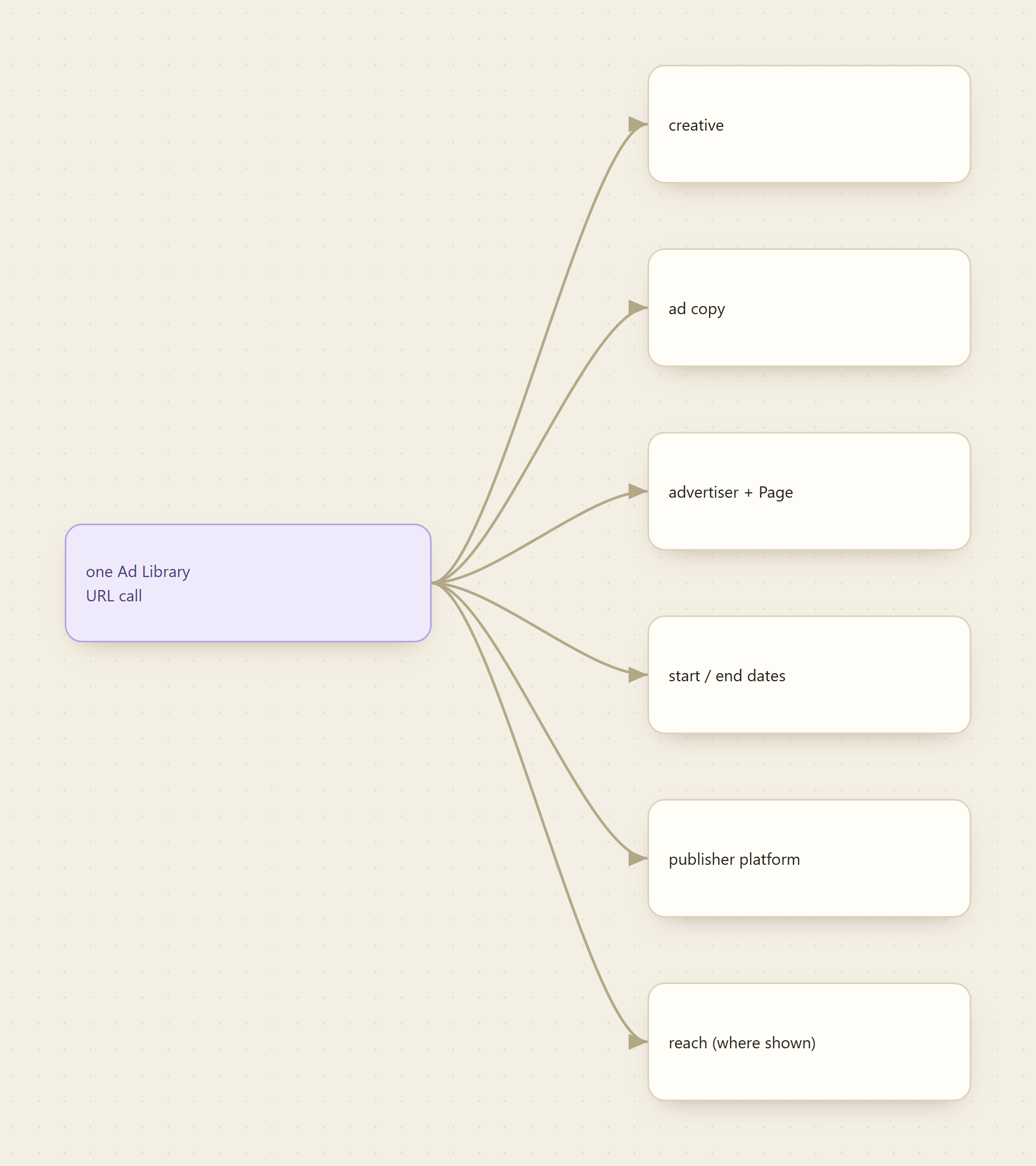
- Every row carries the useful fields: creative, ad copy, advertiser and Page, start and end dates, publisher platform, and reach or spend estimates where the region discloses them.
- Billing is per result. A capped
countis a capped bill. Discover and inspect cost nothing; you only pay onrun, at the price shown first. - Because Monid ships as an MCP server, an agent can run this on a schedule and hand you a living feed instead of a one-off pull.
📖 See also what the run dates actually tell you, including the four cases where a long-running ad means nothing.
What the web UI actually costs you
Open the Ad Library, search a brand, and the data is right there: creatives, copy, the little "Started running on" line. The problem is everything you have to do to get it out. The results load in an endless scroll that resets if you navigate away. There is no export. Reach and spend figures for political and issue ads sit in a different view than commercial ads. If you want to compare four competitors week over week, you are taking screenshots and retyping ad copy, and by the time you finish the set has already changed.
That friction is not a data problem. The archive is deliberately public, published under Meta's ad transparency commitments. The gap is that the official Ad Library API is scoped to political and issue ads and gated behind identity verification, so for ordinary commercial ads there is no supported way to pull a bulk, structured feed. That is the gap this endpoint closes.
Monid is the OpenRouter for agent tools: one interface and one balance to reach over a thousand tools across scraping, enrichment, social data, and search, billed pay-as-you-go at the price shown before you run. The Ad Library scraper from Apify is one of them, and here is how we think about using it well.
For agents
Grab an API key at app.monid.ai, then paste this to your agent and hand it the key:
set up https://monid.ai/SKILL.md
It learns the whole discover, inspect, run workflow itself. More details in the agent quickstart.
For humans
npm install -g @monid-ai/cli
monid keys add --label main --key <your-api-key>
More details in the CLI quickstart.
Principle 1: query it the way you already browse it
You do not learn a new query language. You build the search in the Ad Library UI once, filtering by country, ad type, and keyword or Page, then copy that URL and hand it to the endpoint. Whatever the browser would show for that URL is what comes back as JSON.
monid run -p apify -e /curious_coder/facebook-ads-library-scraper \
  -i '{"urls":[{"url":"https://www.facebook.com/ads/library/?active_status=all&ad_type=all&country=US&q=nike&search_type=keyword_unordered&media_type=all"}],"count":50}' -w
The q=nike in that URL is a keyword search. Swap it for the brand or product you track. To follow a single advertiser instead of a keyword, open that advertiser's Page in the Ad Library and paste its Page URL into the same urls array. Same call shape, different lens: keyword for a category sweep, Page URL for one competitor's full active set. The -w flag waits inline so the results come straight back; drop it for a longer async run and collect the output afterward.
Principle 2: cap the pull, cap the bill
This endpoint bills per result, so the number of ads you ask for is the whole cost lever. count sets the ceiling. If you point one call at several URLs at once, limitPerSource caps how many come from each. Start with a count of 50, look at the output, and only raise it when you know you need more depth. A free schema check shows the exact inputs and the current price before you spend a cent:
monid inspect -p apify -e /curious_coder/facebook-ads-library-scraper
Bounding count up front is why a single-brand pull lands in the range of a few cents and a small multi-competitor cadence stays in single-digit dollars a month. See live per-call pricing at monid.ai/tools.
Principle 3: keep the six fields that drive decisions
The raw ad object is wide. For almost every marketing job, six fields carry the signal, and the rest is noise you can ignore:
- Creative and ad copy. The actual hook and body text, plus the image or video reference. This is the part you were retyping by hand.
- Advertiser and Page. Who is running it, so a keyword sweep tells you which brands own a category.
- Start and end dates. The single most underrated field. An ad still running after months is a proven winner; a cluster that all launched this week is a new push.
- Publisher platform. Whether it runs on Facebook, Instagram, Messenger, or Audience Network, which tells you where a competitor is spending attention.
- Reach or spend estimates. Disclosed for some ad categories and regions and blank for others. When present, they rank creatives by weight. When absent, run duration is your proxy.
Read the field names off your own first result rather than trusting any list, since the exact keys depend on the ad and region. The point is that these arrive as separate JSON keys, so filtering to "ads still running after 60 days" or "everything this Page launched in the last two weeks" is a one-line query, not an afternoon of scrolling.
Principle 4: make it a feed, not a one-off
A single pull is a snapshot. The value compounds when you run the same URL on a cadence and watch what changes. New ad identifiers are launches, disappeared ones are ads a competitor killed, and identifiers that persist with a growing run duration are the creatives working hard enough to keep funded. Because Monid is agent-native and ships as an MCP server, you do not script this yourself: an agent handed "watch these four brands in the US Ad Library every Monday" can run the calls, keep the fields above, and surface the diff. The Ad Library stops being a place you visit and becomes a feed that reports to you.
FAQ
Do I need the official Meta Ad Library API or a developer account? No. The supported Ad Library API is limited to political and issue ads and requires identity verification. This endpoint reads the public commercial archive through Apify, and you reach it with one Monid key and a pay-as-you-go balance, no per-vendor signup.
Keyword search or a specific advertiser?
Both, through the same urls field. Build a keyword search in the Ad Library UI and paste that URL for a category sweep, or paste an advertiser's Page URL to follow one competitor's active ads. The call shape does not change.
Is reading the Ad Library allowed? The Ad Library is a transparency tool Meta publishes on purpose, and this reads what is already visible there. Keep your pulls bounded and your use within Meta's terms and your own legal guidance.
What does it cost?
Billing is per result, so your count sets the bill: a few cents for a bounded single-brand pull, single-digit dollars a month for a small multi-competitor cadence. Every price is shown before you run, with current numbers at monid.ai/tools.
Build the search once in the Ad Library, copy the URL, and pull 50 ads for a brand you know well. When the JSON matches what the browser shows you, wire it to a schedule and let the feed run. Start at monid.ai.