Ship an X Trending Topics Tracker That Logs Rise and Fall
A hands-on recipe: pull X (Twitter) trending topics for any country on a schedule, flatten to rows, and log how trends rise and fall over time.

You can stand up an X (Twitter) trending topics tracker in one sitting: one API call returns the current trends list for a country, a little jq flattens it into rows of topic, rank, and tweet volume, and an hourly schedule turns those snapshots into a record of what climbed and what faded. No X API plan, no developer portal, one balance for the whole thing.
Copy this line to your agent to start tracking X trends for a country.
set up https://monid.ai/SKILL.md and use tikhub to pull X trending topics for a country and log rank changes over time
Monid is the OpenRouter for agent tools: one interface and one balance to discover and run over a thousand tools without a separate signup per vendor. The X trending endpoint you need is already in the catalog, so this build is mostly plumbing, jq, and a cron line.
TL;DR
- Trends come from TikHub, endpoint
tikhub/api/v1/twitter/web/fetch_trending, which returns the live trending list for one country per call. - The only input that matters is
country(defaultUnitedStates), and it is a query parameter, so you pass it with--query, not-i. - Billing is per call, not per result, so one pull of the whole list is a flat fraction of a cent regardless of how many trends come back. See monid.ai/tools for the live number.
- jq flattens each snapshot into
{topic, rank, tweet_volume}rows, and appending a timestamp per run is what lets you chart rise and fall later. - Hand steps 3 and 4 to cron or Task Scheduler on an hourly cadence and you have a trend history that stays in single-digit dollars a month.
Why not the official X API
Worth being precise. X removed its free API tier in 2026, so the trends-place endpoint that used to be a casual pull now sits behind a paid X API plan with a monthly commitment and app review before you touch it. For a job whose entire output is "the trending list for a country, once an hour," that is a standing subscription and an onboarding process in front of a single field of data. The TikHub endpoint below is metered per call through Monid, so the access and upkeep stay on the provider side and you pay only for the snapshots you actually take.
📖 See also What Is the Best API for Social Media Scraping in 2026?
What you are building
The finished job calls the trending endpoint for a country, receives the current ranked list, flattens it to rows of topic, rank, and tweet volume, stamps each row with the time it was pulled, and appends everything to a running log. Run it every hour and the log becomes a time series: you can see a topic enter at rank 18, climb to 3 by mid-afternoon, and drop off by evening. That is a lightweight trend-radar for any market you care about, no dashboard vendor required.

Set up Monid once
For agents
Grab an API key at app.monid.ai, then paste this to your agent and hand it the key:
set up https://monid.ai/SKILL.md
It learns the whole discover, inspect, run workflow itself. More details in the agent quickstart.
For humans
npm install -g @monid-ai/cli
monid keys add --label main --key <your-api-key>
More details in the CLI quickstart.
Step 1: Find the endpoint (free)
Search the catalog for the capability. Discovery is free and returns endpoints with provider, description, price, and a verified tag.
monid discover -q "twitter x trending topics by country"
# -> tikhub /api/v1/twitter/web/fetch_trending   (verified, per call)
The hit you want is tikhub /api/v1/twitter/web/fetch_trending. It is the only endpoint this build needs.
Step 2: Read the schema before you spend (free)
Inspect the endpoint to confirm the input field, the country list, and the current price. Also free, and this is where you learn that country is a query parameter, which changes the flag you use to run it.
monid inspect -p tikhub -e /api/v1/twitter/web/fetch_trending
Two things to read off the output:
- Input is a single query param,
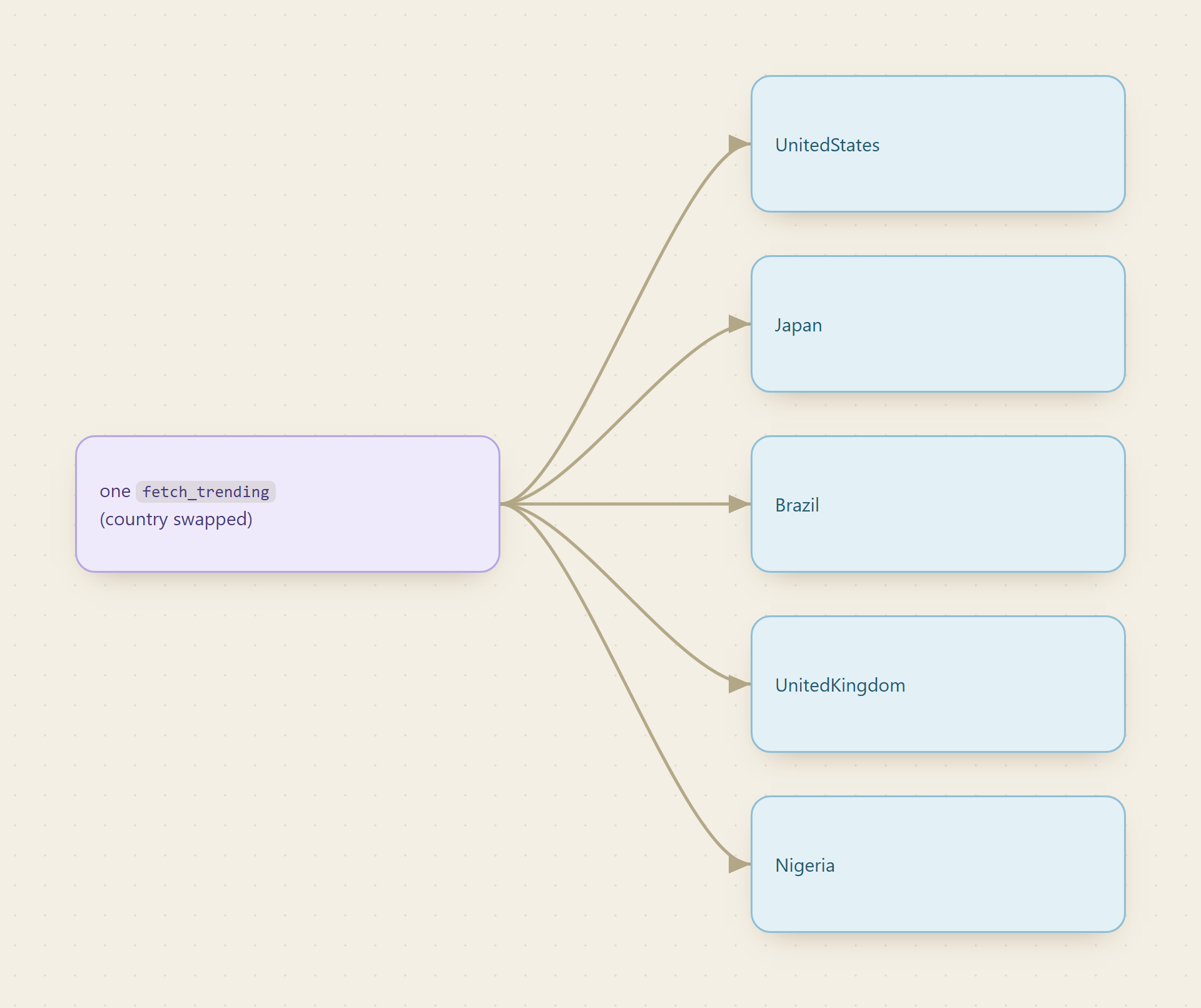
country, defaulting toUnitedStates. The inspect output prints the full list of accepted values, dozens of them, includingJapan,India,Brazil,UnitedKingdom,Germany,SouthKorea,Mexico,Nigeria, and more. Use those exact spellings (UnitedKingdom, notUK). - Pricing type is per call, not per result. You pay one flat amount for the whole trending list, however long it is, so a country with 30 trends costs the same as one with 10.
Step 3: Pull the trends for a country
Now the only step that bills. Because country is a query parameter, pass it with --query rather than -i. The -w flag waits inline and writes the finished result to a file.
monid run -p tikhub -e /api/v1/twitter/web/fetch_trending \
  --query '{"country":"UnitedStates"}' -w -o trends-raw.json
Swap the country to point the same job anywhere:
monid run -p tikhub -e /api/v1/twitter/web/fetch_trending \
  --query '{"country":"Japan"}' -w -o trends-japan.json
If you would rather not block the terminal, drop -w, note the RunID it prints, and fetch it when it finishes:
monid runs get -r <RunID> -o trends-raw.json
Step 4: Flatten to rows
The raw response is the trending list as the provider returns it. For a log you want flat rows: topic, rank, and tweet volume, plus the time you pulled them. Rank is just the position in the list, so derive it from the array index. A single jq expression does the reshape and stamps the snapshot time:
jq --arg ts "$(date -u +%FT%TZ)" '
  [ .trends
    | to_entries[]
    | { pulled_at: $ts,
        rank: (.key + 1),
        topic: .value.name,
        tweet_volume: (.value.tweet_volume // null) } ]
' trends-raw.json > trends-rows.json
The exact path to the list and the field names can vary by provider version, and inspect in Step 2 showed you the real shape. If the array is not under .trends, or the label is .value.trend instead of .value.name, adjust those two references and the rest holds. The // null guard keeps rows where tweet volume is absent, which happens on newer or promoted trends.
A quick sanity check on how many trends you captured:
jq 'length' trends-rows.json
📖 See also choosing a scraping API for an agent
Step 5: Run it hourly and log rise and fall
One snapshot is a leaderboard. Many snapshots are a story. Append each run's rows to a single log so you can watch a topic move:
jq -c '.[]' trends-rows.json >> trends-log.jsonl
Writing JSON Lines (one row per line) means every hourly run just appends, and the file stays easy to grep, load into a notebook, or import to a database. Wrap Step 3 through this append in a short script and hand it to cron or Windows Task Scheduler on an hourly cadence:
0 * * * * /path/to/track-trends.sh UnitedStates
To read the history of a single topic, filter the log by name and watch the rank column move over time:
grep '"AI"' trends-log.jsonl | jq -r '"\(.pulled_at) rank \(.rank) vol \(.tweet_volume)"'
That prints one line per hour a topic was on the board, so a term that entered at rank 20 and climbed to 2 reads as a clean ascending series. Group the log by topic, take the min and max rank, and you have entered-at, peaked-at, and fell-off for every trend of the day, which is the raw material for a "what moved on X today" digest.
Cost tally
- Discover and inspect: free.
- One trending pull: per call, so a flat fraction of a cent no matter how long the list is. Check the live rate on monid.ai/tools.
- Hourly for a day: 24 calls, still a fraction of the price of a coffee.
- A full month, one country, every hour: roughly 720 calls, single-digit dollars.
- Track five countries hourly: multiply by five and you are still nowhere near the monthly minimum of an X API plan.
Per-call billing is the reason a trend tracker is cheap: the cost is the number of snapshots you take, not the number of trends or the tweet volume behind them, so widening to more countries or a tighter cadence scales linearly and predictably. The magnitudes here are a starting point, not a quote; the live price is on monid.ai/tools.
FAQ
Do I need an X or Twitter developer account? No. You integrate Monid once and fund one pay-as-you-go balance. The provider handles X access and upkeep, so you never touch the developer portal or commit to a monthly X API plan.
Which countries can I track?
The country field accepts dozens of values, from UnitedStates and Japan to Brazil, Nigeria, and SouthKorea. Run monid inspect on the endpoint to see the full list and the exact spelling each one expects.
How is this billed on Monid?
Discover and inspect are free. The single run is the only paid step, and it is charged per call, so one pull of the whole trending list is one flat charge regardless of list length. Live pricing is on monid.ai/tools.
Why pass the country with --query instead of -i?
Because country is a query parameter on this endpoint, not a request body. Inspect shows the input as query params, so you use --query '{"country":"..."}'. Endpoints that take a JSON body use -i instead.
Can an agent run this on its own? Yes. Monid ships as an MCP server, so an agent handed "track X trends for Japan every hour" can discover the endpoint, inspect the schema, and run the hourly pull itself. See monid.ai/SKILL.md.